



Betonline Poker
 Telegram
BetOnline Mobile App – Android and iOS Review
The BetOnline mobile poker app is designed for players who want to play for real money in a trusted poker room without being tied to a desktop computer. The Android and iOS apps are stable and easy to use, giving you quick access to cash games, poker tournaments, and the cashier from a single lobby on your mobile device. Android users install the app by downloading the APK file from the official BetOnline website, while iOS users scan the QR code on the website to install the correct version for their device, making it simple to get started on smartphones and tablets.
The key is to download only from official links, keep your phone up to date, and use a strong, unique password to protect your account. This review explains step-by-step how to install the BetOnline app and outlines simple security rules to help you avoid login issues and risky third-party downloads.
BetOnline Poker Mobile App for Android
The BetOnline Android poker app is designed for quick mobile gaming sessions and convenient multi-table play on a small screen, giving poker players the same core lobby features they expect from online poker on desktop: cash games, tournaments, Sit & Gos, and cashier access. Installing BetOnline on an Android phone is straightforward because you can download the official APK installer directly from the official website. This way, you avoid counterfeit apps, outdated versions, and dubious third-party mirrors that could jeopardize your bankroll and account.
Download and install BetOnline app for Android
Installing and downloading the BetOnline poker app on Android is straightforward if you follow the official route. Here’s the clean step-by-step flow most players use:
Open the BetOnline mobile site on your Android browser (Chrome works best).

Go to the Poker section and tap “Download & Play”.

Download the Android version to your device.

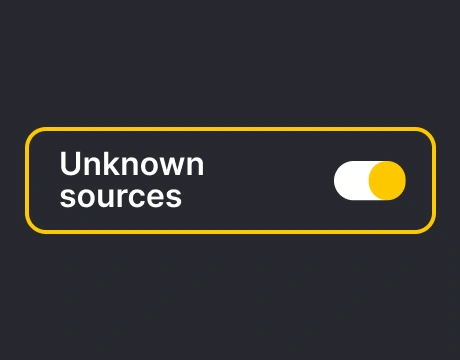
When prompted, allow installations from this source. Settings → Security or Privacy → Install unknown apps → Allow (for your browser).
Tap the downloaded file to run the installer and complete setup.
Launch the app, log in (or create an account), and let the lobby load.
By following these steps, the process went quickly for me and didn’t require any technical effort. Most players can complete the installation in just a few minutes if they download the Android app from the official website.
BetOnline Poker Mobile App for iOS
The BetOnline iOS poker app delivers a smooth poker client experience with easy navigation and fast access to the main lobby, tournaments, and cashier on your Apple device. The main advantage of iOS is its simplicity: instead of searching for files or third-party mirrors, you can use BetOnline’s official iOS installation process to get the correct version for your iOS mobile device. This is especially convenient for iPhone users, since the setup is designed to work cleanly on any supported Apple device without extra steps. The safest approach is to install the app only through BetOnline’s own prompts and download flow, not from random alternatives.
Download and install the BetOnline app for iOS
BetOnline provides an iOS download option through a QR code, which is the quickest way to land on the correct install page without mistyping a link. Here’s the clean setup process:
Go to the BetOnline mobile platform, open the “Poker” section, then tap “Download & Play”.
Find the iOS download QR code on the page.

On your iPhone or iPad, open the Camera app and scan the QR code.

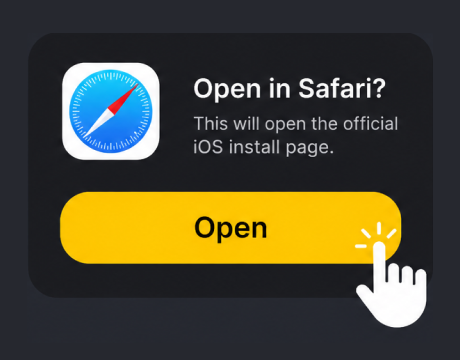
Tap the prompt that appears to open the official iOS install page in Safari.
Follow the on-screen instructions to install the poker app.
If iOS asks for permissions or trust steps, complete them exactly as shown on the official page.

Open the app, log in, and confirm the lobby loads properly before depositing.
I like the QR code approach because it takes the guesswork out of it – no copy-pasting links or clicking on ads, and the on-screen instructions are very clear.
Play BetOnline Poker App for Real Money
Playing real money poker in the BetOnline mobile app is virtually identical to playing on a computer, only optimized for touch controls. After logging in, you immediately have access to cash games, tournaments, Sit & Gos, and Boost tables with quick table changes. Then, head to the cashier to deposit and start playing. For a comfortable experience, use a stable Wi-Fi or mobile connection and close other resource-intensive applications to ensure smooth operation at the tables.
Before making a deposit, ensure you install the app from the official BetOnline website (Android APK or iOS QR code/installation page), as fake installers pose the greatest risk to mobile users. When withdrawing funds for the first time, expect basic verification, and ensure your banking details match your registered account information.
To ensure the security of your bankroll, enable device-level protection (PIN/Face ID), use a strong password, and avoid using public Wi-Fi networks for real-money games. The BetOnline mobile app is a great option for real-money gambling, as long as you install it only through BetOnline’s official download flow.
Mobile Site vs BetOnline Poker App
The BetOnline poker experience can be accessed in two ways on mobile: through the mobile version of the site or through the dedicated poker app. The best choice depends on how often you play and how important convenience is.
BetOnline mobile site:
- The website version does not require installation (play instantly in your browser).
- Good for quick account access and cashier tasks, as it functions similarly to the desktop version.
- Can feel slower for multi-tabling and long sessions.
- More dependent on web-based performance and background tabs.
BetOnline Poker app:
- Faster lobby loading and smoother table switching.
- Built for touch controls (bets, raises, time bank).
- Better for regular play and longer sessions.
- Requires installation (APK on Android/official iOS flow via QR or install page).
I think if you play poker regularly, the app is generally worth it; if you only play occasionally, the mobile site might be enough.
BetOnline’s PWA for Playing Poker
A PWA (progressive web app) is a browser-based way to play poker that feels more like an app than a typical site on mobile web. Instead of downloading a full poker client, you open your web browser on your phone and load BetOnline, then use “Add to Home Screen” to create an icon on your home screen. Once you accept the prompt, the PWA launches in a clean, app-like window and can feel faster than a regular browser tab, making it a practical option for casual sessions on a smartphone. For poker players, the main advantage is convenience: no APK files, no extra install steps, and it’s compatible with almost any modern Android or iOS device.
Casino Section of BetOnline
BetOnline’s casino section is broad enough for most players looking for variety beyond the poker room, offering a strong selection of games across three main categories: slots, table games, and live dealer games. The slots section is the most extensive, combining classic titles with modern, feature-rich options, and it also includes extras like video poker, which is a nice change of pace if you prefer strategy-based casino play. In the table games section, you’ll find the basics: blackjack, roulette, baccarat, and a lot of variants, so you can stick to familiar rules without digging through a cluttered lobby. You’ll also find a solid lineup of live casino tables, which stream in real time and add a more authentic, interactive feel when you want something closer to a true casino floor. All casino games offered by BetOnline are fully mobile-optimized, ensuring comfortable sessions even on the go.
BetOnline Poker App FAQs
How do I log in to BetOnline on mobile?
Open the BetOnline poker app (or mobile website), click “Login,” and enter the email or account number and password you used when registering. If you encounter any issues, use the “Forgot Password” feature to restore access. For security reasons, avoid using public Wi-Fi, enable a screen lock (Face ID/PIN), and don’t save passwords on devices shared with others.
What payment methods can I use in the BetOnline mobile app?
The BetOnline cashier supports cryptocurrency deposits, as well as additional options that vary by region, such as credit/debit cards and bank transfers. Available methods, limits, and fees are displayed directly in the cashier. For fast withdrawals, cryptocurrency is the best choice.
Where can I download the BetOnline app?
The safest download method is directly from the official BetOnline website. On Android, installation is via the official APK file, which can be downloaded from the Poker/Mobile Apps section. On iOS, follow BetOnline’s official iPhone or iPad installation instructions, which begin with scanning the website’s QR code and following the on-screen instructions.
Can I play free poker games in the BetOnline app?
Yes, BetOnline offers free tables that allow you to test the software before playing for real money. Availability varies depending on the lobby and time, so check the table filters for “free” entries. If you don’t see any, tournaments and microstakes are the best way to safely get started.
Which poker games are available in the BetOnline app?
The majority of mobile traffic is focused on Texas Hold’em and Omaha, including common formats like cash games, Sit & Gos, and scheduled tournaments. Boost tables that run faster and generate more hands per hour are also available. The exact composition depends on traffic and time of day, but Hold’em is the primary game.
Comments0